
Viber template
To use Viber templates in BulkGate, first you need to have it approved for its content.
These changes are effective since 1st of July 2026 to reflect new approach by Viber. Older ways of sending template message will become deprecated.
To approve template you need to go into BulkGate portal. Navigate towards the left nav panel and click SMS & Viber messaging, then Viber Templates.
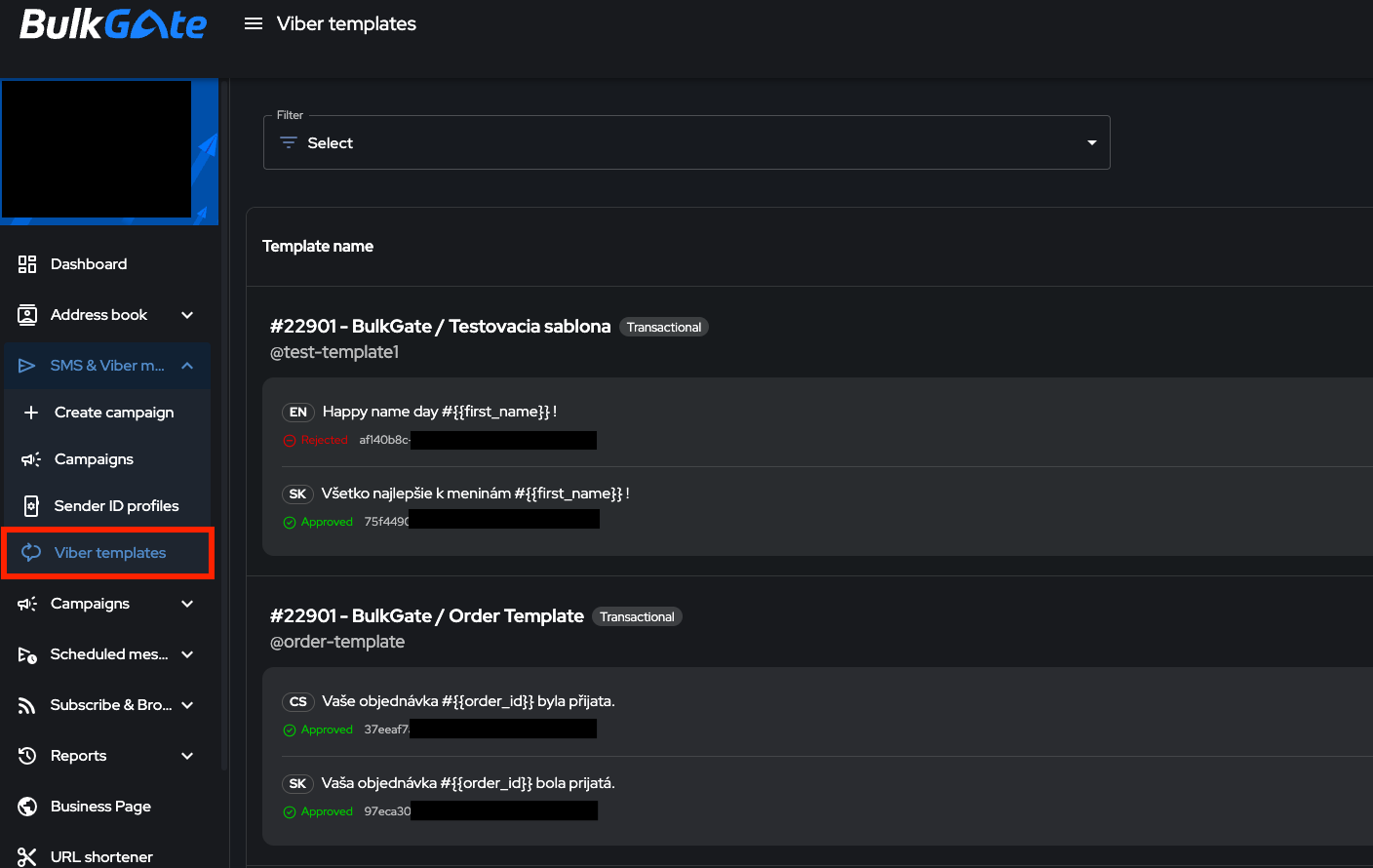
Sending template for approval
In order to have your Viber template approved you need to submit it into BulkGate portal. Template consists of key and name that can both be used to identify template. Input sender and select type of message that will determine whether it is template for transactional message, or an OTP message. And also body of a template which is text containing user defined variables.
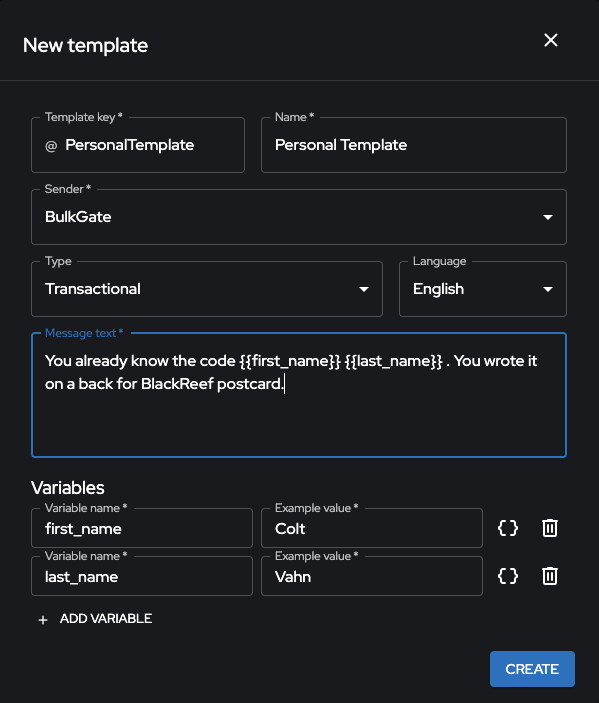
After submission
After submission, each template goes through one of the following statuses:
| STATUS | DESCRIPTION |
|---|---|
| Pending | Waiting for review |
| Approved | Validated and ready to use |
| Declined | Rejected due to content policy reasons |
If a template is declined, you can dispute the decision by contacting partners@viber.com.
SLA for template approval
The standard turnaround time for template moderation is up to 24 business hours.
Template limits
What are the limits for templates?
- Each template can only contain up to 8 variables.
- Each service can have a maximum of 2,000 templates, including templates with a “Declined” status. Deleted templates are fully removed from this count. This limit is fixed and cannot be increased.
API usage
When using templates via API you need to provide 3 parameters.
- Template key (
@PersonalTemplate) - Template language (
en) - Template parameters (Array containing variables matching the defined keys
["first_name" => "Colt", "last_name" => "Vahn"])
For more specific information go here.