
Creating WhatsApp campaign
WhatsApp Business Messaging is a business communication platform that enables companies to connect with customers via WhatsApp, offering features like verified profiles, automated responses, and multimedia messaging.
How do I create WhatsApp campaign?
To create WhatsApp campaign:
- Click
SMS & Viber messagingin the left menu. - Click
Create campaign. - Select either WhatsApp separately or WhatsApp and SMS, where the SMS channel will serve as a backup for recipients who do not use WhatsApp application (after the expiration of the WhatsApp message, the campaign message will be delivered as an SMS). You can also add Viber or RCS as an additional channel.
- Enter a name of your campaign.
- Click
Create. - Upload your contacts and click
Next. - In the step
Message text – Chat appsenter the text of the WhatsApp message (the same text will be used for the Viber message if you also selected Viber channel in step 3). Here, unlike with the SMS message, you can use up to 1000 characters. If you selected both WhatsApp and Viber in step 3, select which channel you want to use as your primary channel (WhatsApp, Google RCS, Rakuten Viber). Add call-to-action button (required), image (optional) or/and a short URL (optional). In this step, select one of your registered WhatsApp senders and set the message lifetime. When you are done with this step, clickNext.
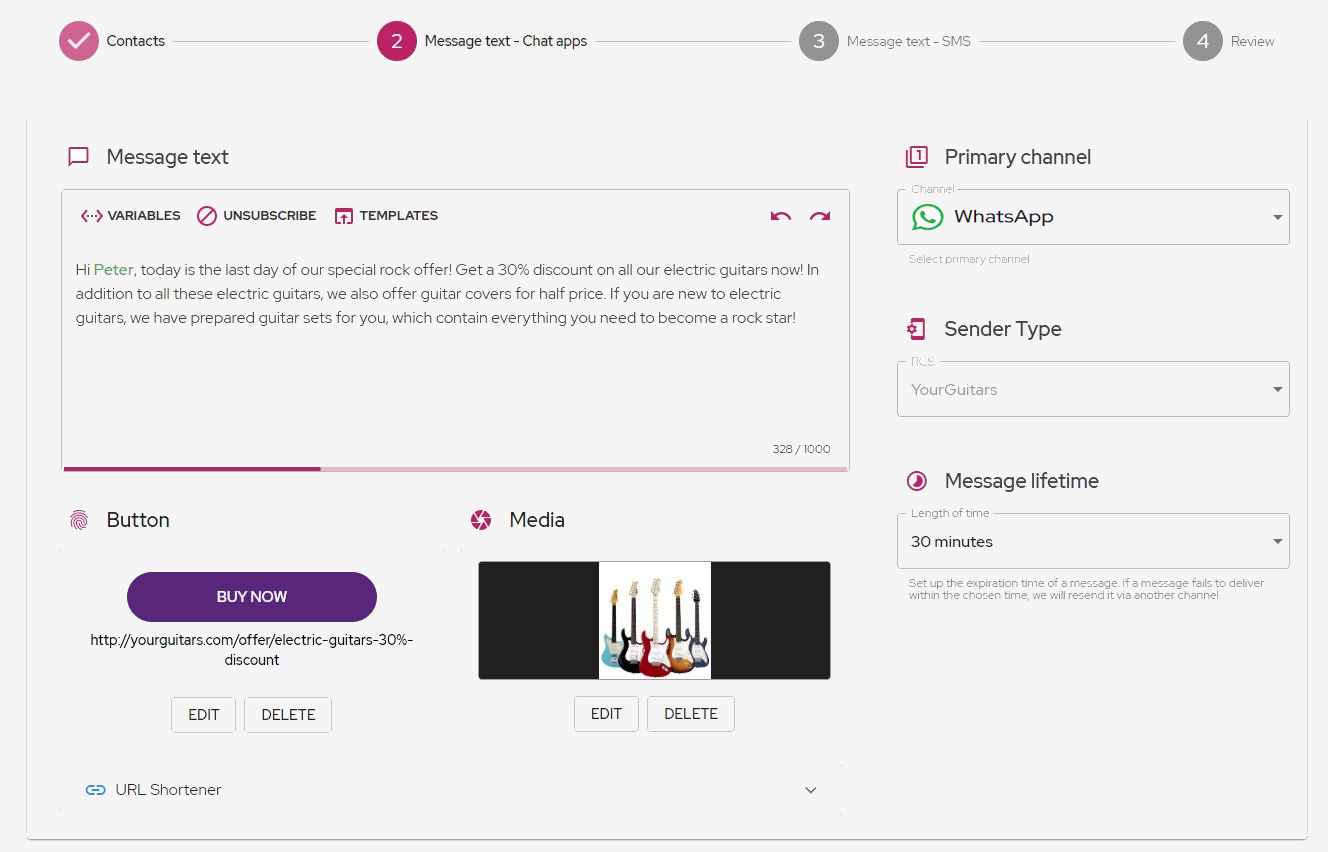
- If you selected an SMS channel together with WhatsApp in step 3, then in the next step you will create a text for SMS as a backup of the WhatsApp message. When you are done with this step, click
Next.
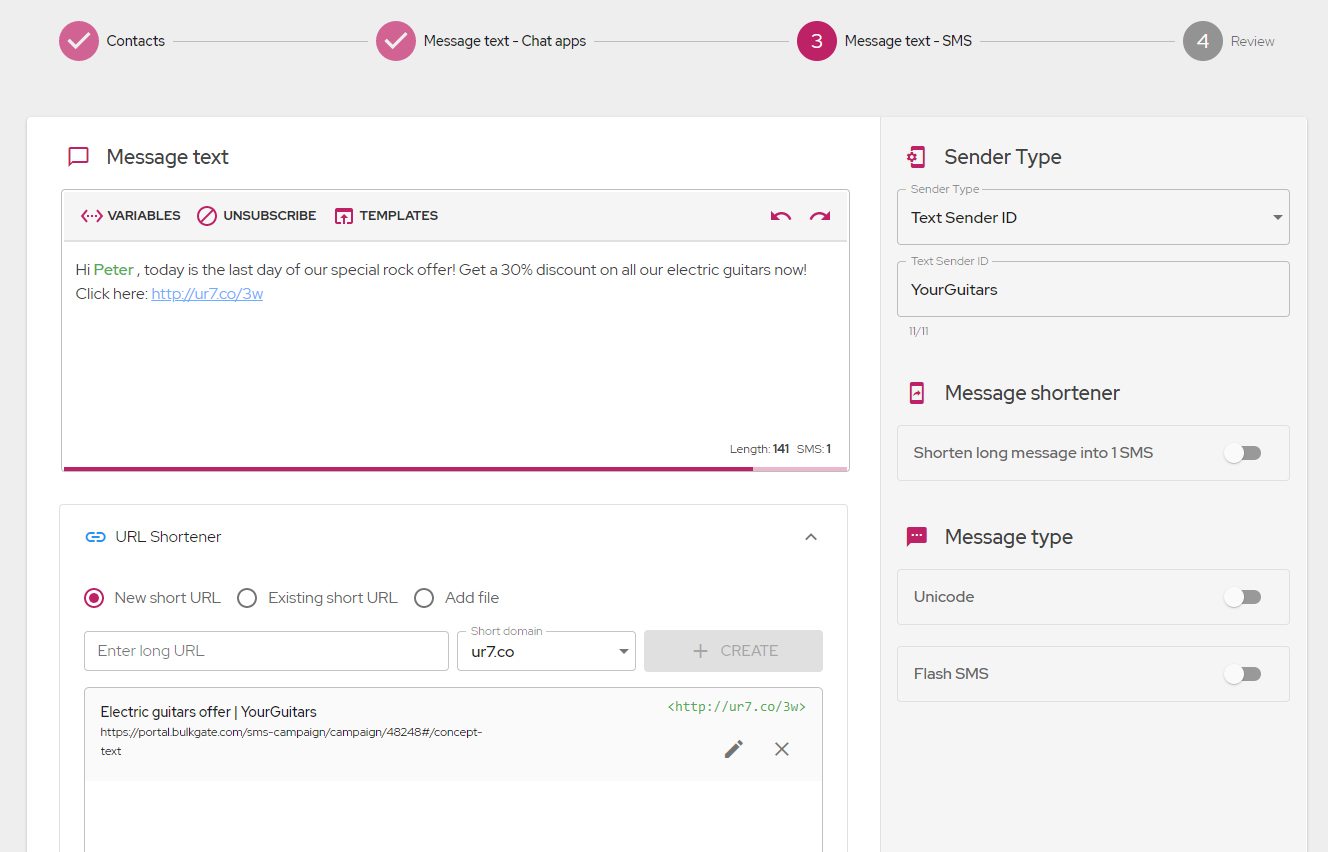
- In the
Review,you can see a summary of the campaign. Note that you can change the coverage for estimated delivery, which will directly affect the estimated costs. Make sure everything is set up correctly in the review and clickSend.