
API administration
How do I get API access data?
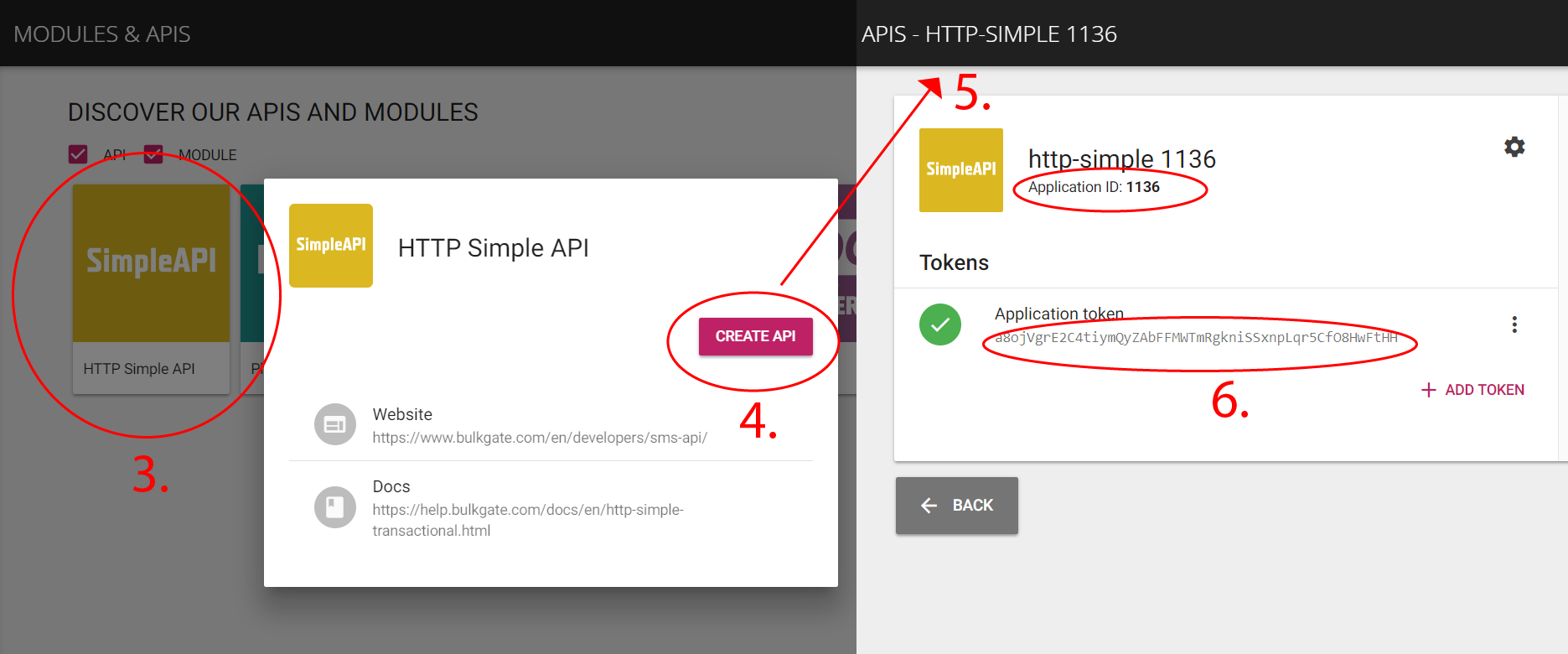
- Log in to BulkGate Portal
- Go to
Modules & APIs - Choose the API you want to create and click on it
- Click
Create API - Your API has been created
- You can now see important information such as Application ID
(APPLICATION_ID)and Application token(APPLICATION_TOKEN)which are needed for the further work with your API
How can I get API data? (Email to SMS)
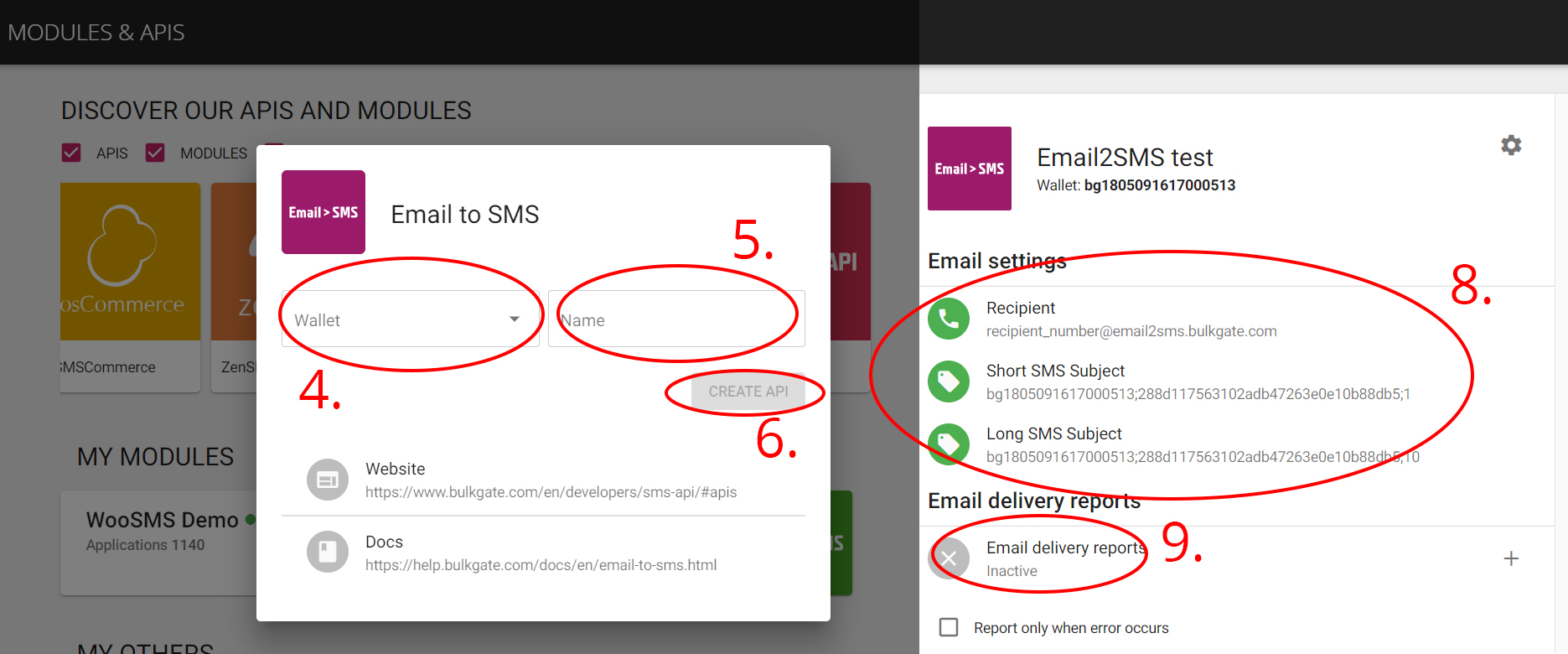
- Log in to BulkGate Portal
- Go to
Modules & APIs - Choose
Email > SMS APIand click on it - Select Wallet you want to use for this API
- Enter name for the API
- Click
Create API - Your API has been created
- You can now see important information such as Recipient and subject which you can simply insert in your email browser
- You can also set up delivery reports
How can I create new API?
To create an API:
- Log in to BulkGate Portal
- Go to
Modules & APIs - Select which API you want to create and click on it
- Click on
Create API - Your API has been created
How can I activate or deactivate an API?
To activate or deactivate an API:
- Log in to BulkGate Portal
- Go to
Modules & APIs - Select which API you want to activate/deactivate and click on it
- Change the status in the right-upper corner
How can I rename my API?
To rename your API:
- Log in to BulkGate Portal
- Go to
Modules & APIs - Select which API you want to rename and click on it
- Click on the
Settingsbutton and clickRename - Change the name and click
Rename
What is Application ID?
Application ID (APPLICATION_ID) is a unique identification number which you need to access your API together with Application token (APPLICATION_TOKEN).
Read how to obtain API access data.
How can I set up delivery reports?
To set up URL delivery reports for your API:
- Log in to BulkGate Portal
- Go to
Modules & APIs - Create a new API or click on an existing one
- In the
Delivery reportssection click on the+button (Activate delivery reports) - Enter URL address to receive delivery reports on
- Check the following if you want
Report only when error occursto receive delivery reports only when an error occursBulk DLRs - bulk requestto receive delivery reports in bulk only
- Click
Save